Linking Brainstorm to Story
Connect brainstorm ideas to drafts, characters, and outlines.
Last updated March 2026
Overview
Brainstorming is only valuable if your ideas find their way into the story. Genesis Writer bridges the gap between brainstorming and writing by letting you link brainstorm nodes to other parts of your project — drafts, characters, locations, outlines — so the ideas you generate don't just live on a canvas. They feed directly into your writing process.
This article covers how to connect your brainstorm ideas to actual story elements, how those connections influence AI generation, and the workflow for turning a mind-map of ideas into written chapters.
Context Linking
How Linking Works
Every Brainstorm node has a linked nodes list in its sidebar. This is where you connect your brainstorm to other nodes in your project. When you link a character, location, or draft to your brainstorm, that connection does two things:
- It tells the AI about the relationship between your brainstorm ideas and your story elements, enriching the context for future idea generation.
- It creates a navigable reference so you can quickly jump between your brainstorm and the story elements it relates to.
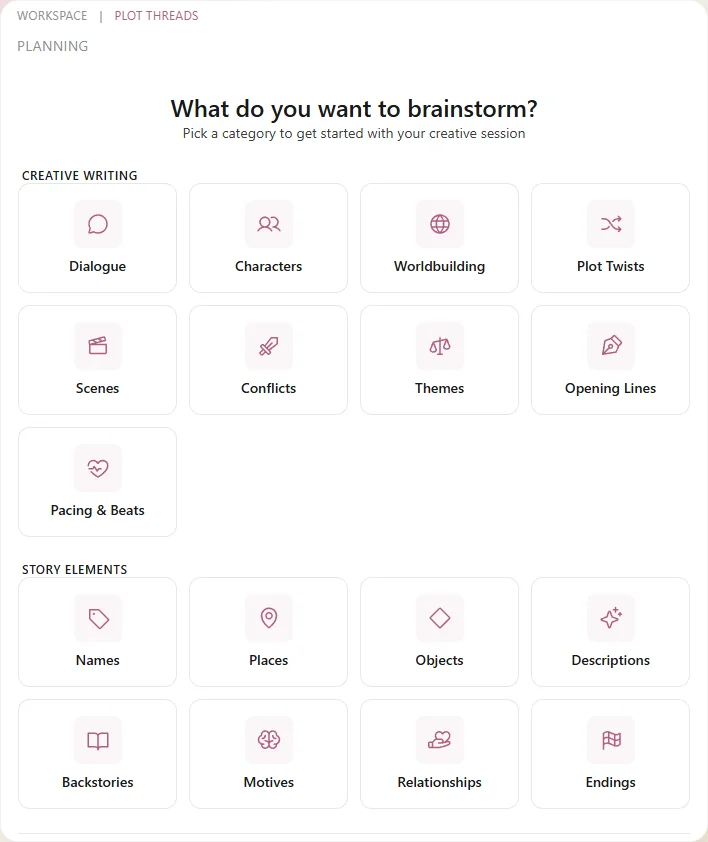
Link your brainstorm to characters, drafts, and other story nodes
What You Can Link
You can link any node in your project to a brainstorm:
| Node Type | Why Link It |
|---|---|
| Characters | The AI incorporates character personality, backstory, and voice into idea generation. Link characters who are central to the brainstorm's topic. |
| Drafts | Links the brainstorm to specific chapters or scenes. The AI can reference what's already been written when generating new ideas. |
| Worldbuilding (outlines) | Connect your brainstorm to plot structure stored in Worldbuilding nodes. Useful when brainstorming how to fill in or rework an existing outline. |
| Locations | Give the AI setting context. A brainstorm about “Act 3 climax ideas” benefits from knowing the location where it happens. |
| Worldbuilding | Connect world rules and history. Especially useful for fantasy and sci-fi brainstorming where ideas need to respect established world mechanics. |
Brainstorm Ideas as AI Context
Brainstorm nodes participate in the Story Bible context system. When you generate prose in a nearby draft, the AI can pull relevant brainstorm ideas into its context window. This means the ideas you brainstormed don't just inform your planning — they actively influence the prose the AI writes.
The node hierarchy determines what counts as “nearby.” Brainstorm nodes that are siblings or close neighbors of a draft node in the tree are more likely to be included in that draft's AI context.
Converting Ideas to Story Nodes
The most direct way to turn brainstorm ideas into story content is to convert them into other node types. This takes an idea from the canvas and creates a real node in your project tree that you can then write into.
Ideas to Outlines
The most natural conversion is brainstorm idea to outline. When a brainstorm branch maps to a plot structure — say, a sequence of scene ideas for Act 2 — you can export those ideas as Worldbuilding nodes:
- Identify the brainstorm nodes that form a narrative sequence.
- Create a Worldbuilding node in your project tree (name it as your outline).
- Use the brainstorm ideas as the outline's content — each idea becomes a plot beat or scene summary.
This gives you a structured plan that the AI can reference when generating prose for nearby drafts.
Ideas to Drafts
When a brainstorm idea is specific enough to write directly, create a Draft node for it. Use the idea as your starting point — either paste it as a prompt in the Write dialog, or type the opening yourself and let the AI Continue from there.
For example, if your brainstorm produced the idea “Elena discovers Marcus's journal in the lighthouse, reads an entry that contradicts everything he told her,” that's specific enough to become a scene. Create a Draft node, use that idea as your Write prompt, and the AI will generate the scene with full project context.
Ideas to Characters & Locations
Brainstorming often produces character concepts and setting ideas that deserve their own nodes. When the AI generates a compelling character idea or location concept, create the corresponding node:
- Character ideas — create a Character node and flesh out the profile using the brainstorm idea as your starting point.
- Location ideas — create a Location node and develop the setting details. The brainstorm's atmosphere and sensory details make excellent seeds.
- Worldbuilding ideas — world rules and history concepts from brainstorming can become Worldbuilding entries that the AI references across your entire project.
Cross-Referencing Brainstorms
If you have multiple brainstorm nodes in your project, the context linking system lets them inform each other indirectly. A brainstorm about character motivations and a separate brainstorm about plot structure can both link to the same characters and worldbuilding nodes, creating a web of connected ideas.
When you generate ideas in one brainstorm, the AI doesn't directly read other brainstorms. But if both brainstorms link to the same characters, the character data serves as a shared context bridge — ensuring both sets of ideas are consistent with who your characters are.
The Full Workflow
Here's the recommended workflow for going from blank brainstorm to written chapters:
- Create a Brainstorm node for the story problem you're tackling (e.g., “Act 2 Midpoint” or “Why does the antagonist betray the guild?”).
- Link relevant context — connect the characters, locations, and existing drafts that relate to this problem.
- Generate root ideas using an appropriate brainstorm category.
- Explore and drill deeper into the ideas that resonate. Add your own nodes. Draw cross-links.
- Identify the winners — the two or three ideas that feel right for your story.
- Convert to story nodes — create outlines, drafts, characters, or locations based on your chosen ideas.
- Write — open your new draft nodes and start generating prose with the full context of your brainstorming behind it.
Tips for Connecting Ideas to Story
- Don't convert too early. Let the brainstorm fully develop before picking winners. Premature conversion means you might miss better ideas that come from drilling deeper.
- Use outlines as the bridge. Brainstorm ideas are raw and unstructured. Outlines are the natural middle step between a brainstorm idea and a written draft. They give you structure without committing to prose.
- Link characters early. The biggest improvement to brainstorm quality comes from character context. Create your main characters first, then brainstorm with them linked.
- Organize brainstorms near their drafts. In your node tree, keep brainstorm nodes near the drafts they inform. This improves AI context when writing those drafts.
- Revisit old brainstorms. When you hit a writing block, go back to a brainstorm you haven't touched in a while. Ideas you rejected initially might fit perfectly now that your story has evolved.