Character Marketplace
Discover community characters or share your own creations.
Last updated March 2026
What the Character Marketplace Is
The Character Marketplace is a shared library where writers discover, share, and reuse characters. It includes both preset characters curated by the Genesis Writer team and community characters published by other writers.
Every character in the marketplace comes with a full profile — biography, personality, voice data, and portrait. When you add a character to your library, you get all of that data, ready to use in your projects.
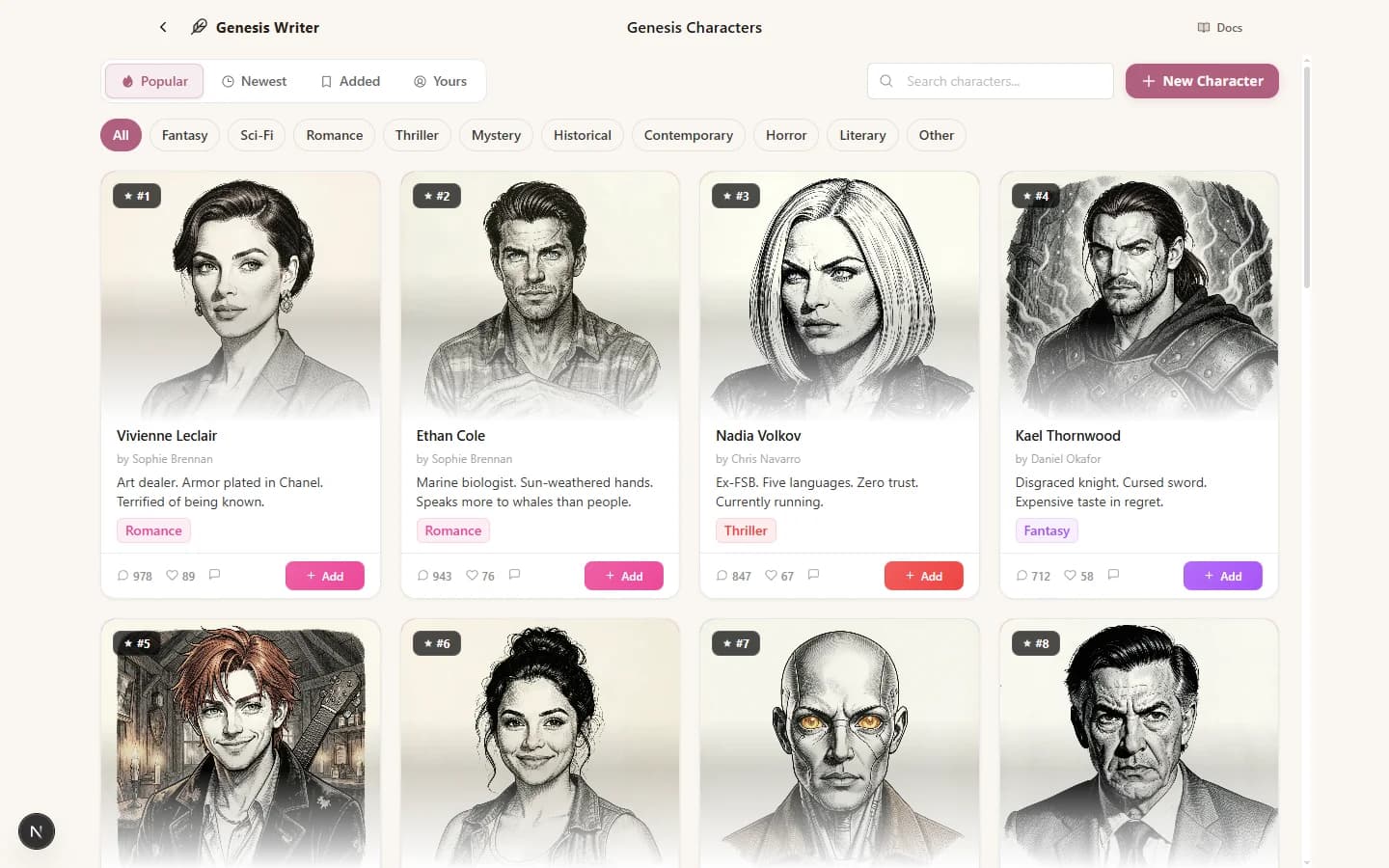
The Character Marketplace — discover characters for your next story
Browsing Characters
Character Cards
Each character in the marketplace is displayed as a card showing:
- Portrait — the character's ink illustration or preset image.
- Name — the character's primary name.
- Archetype / Role — their story function (e.g., “The Reluctant Hero” or “Antagonist”).
- Category — the genre badge (Fantasy, Thriller, Romance, etc.).
- Usage count — how many writers have added this character to their library.
- Rating — the community's average rating.
Click any card to open the character's full detail sheet, where you can read their complete biography, see their personality traits, and preview their voice profile before adding them.
Filtering by Genre
Use the genre filter to narrow results by category:
- Contemporary
- Fantasy
- Historical
- Horror
- Literary
- Mystery
- Romance
- Sci-Fi
- Thriller
Select a genre to see only characters tagged with that category. This is especially useful when you're looking for characters that fit a specific story world.
Sorting Results
Three sort options help you find the right character:
- Popular — sorted by usage count. These are the characters most writers have found useful.
- Newest — sorted by creation date. Find the latest additions to the marketplace.
- Trending — sorted by recent activity. Characters that are gaining traction right now.
Preset Characters
Genesis Writer includes 30+ preset characters spanning every genre category. These are fully developed characters with rich biographies, defined voice profiles, and custom portraits. They're a great starting point if you need a character quickly or want to see what a well-built character profile looks like.
Preset characters are available to all users on any plan. They appear alongside community characters in the marketplace, marked with a “Preset” badge.
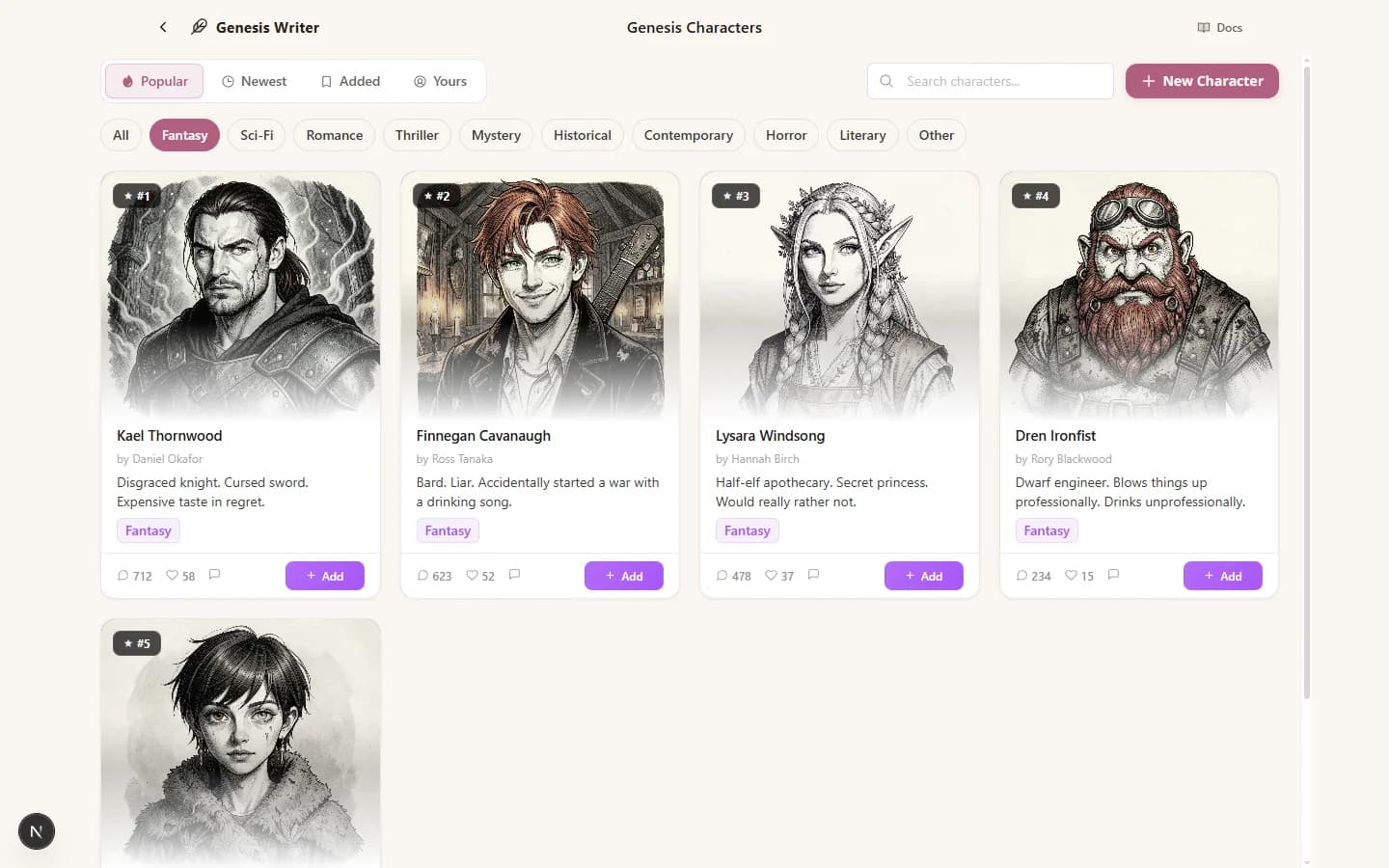
30+ preset characters spanning every genre
Adding Characters to Your Library
Found a character you like? Adding them to your library takes one click:
- Click the character card to open the detail sheet.
- Click Add to Library.
- The character is now in your personal library, available across all your projects.
When you add a community character, you get a copy of their profile data. Any changes you make to the character only affect your copy — the original creator's version stays untouched.
Adding Characters to a Project
You can also add a marketplace character directly to a specific project. From the character detail sheet, click Add to Project and select the project. The character appears as a Character node in the project's node tree, and the AI will use their profile data when generating prose in that project.
Publishing Your Characters
To share a character you've created with the community, set their visibility to Public during the creation wizard (Step 4) or by editing the character later.
Once published, your character appears in the marketplace for other writers to discover. Before publishing, make sure your character has:
- A descriptive name and tagline
- A filled-out biography and personality
- A portrait (characters with portraits get significantly more attention)
- Accurate genre category and tags
Creator Attribution
Every published character shows your name as the creator. Your attribution appears on the character card and in the detail sheet. Other writers can see who built the character and discover more of your creations.
You can unpublish a character at any time by switching its visibility back to Private. Writers who already added your character to their library keep their copy, but the character will no longer appear in the marketplace for new users.
Ratings & Reviews
Community characters can be rated by writers who have added them to their library. Ratings help surface the best characters and give creators feedback on their work.
The rating system is simple — writers rate characters on overall quality after using them in a project. High-rated characters appear more prominently in Popular and Trending sorts.
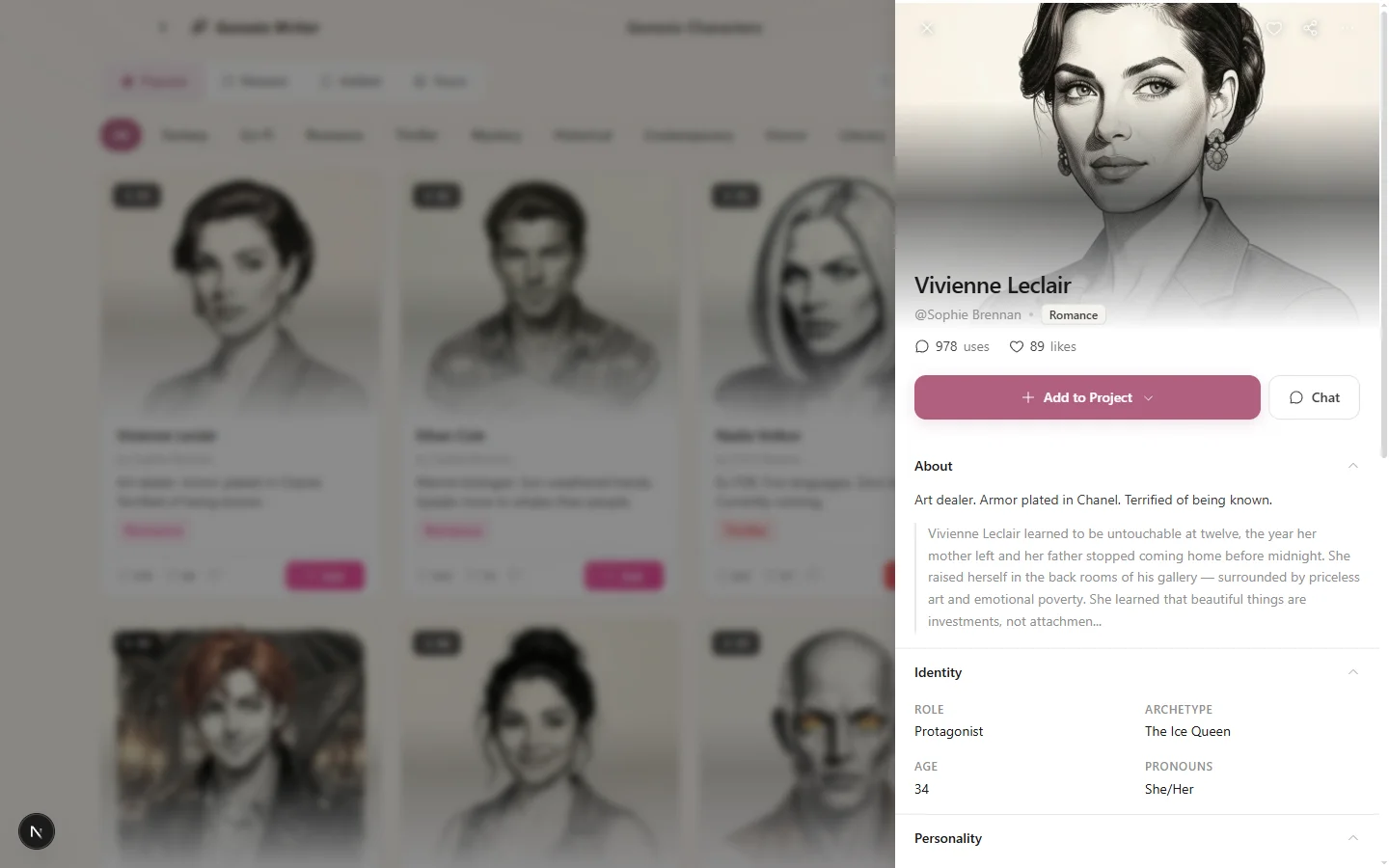
The full character detail sheet — review everything before adding to your library
Next Steps
- Creating Characters — build your own character from scratch with the creation wizard.
- Character Profiles & Biography — understand the data that makes marketplace characters useful.
- Browsing the Marketplace — the marketplace also has styles, plugins, and beta readers.
- Publishing Your Creations — general guide to sharing your work with the community.